Voice Changer: limits, price, watermark and errors
Up to 5 minutes per recording, about 14.4 tokens a minute charged only for a ready result, and a VocaLingo watermark on videos without Premium.
Updated November 2, 20263 min read
How to change a voice step by step is described in how Voice Changer works. This article collects the numbers and what to do when something goes wrong.
Limits
| Parameter | Value |
|---|---|
| Length | up to 5 minutes per recording |
| Audio | MP3, M4A, WAV, OGG, OPUS, WEBM, FLAC and other common formats |
| Video | MP4, MOV, WEBM and other common formats; the video must have a soundtrack with speech |
| Links | not accepted, only a file, a recording or Share from another app |
| Voices | ElevenLabs Library and Community; your own cloned voices aren't available |
| Platforms | web.vocalingo.app, iOS, Android; Share from another app only on iOS and Android |
If a recording is longer than 5 minutes, trim it or split it into parts and change the voice in each part. Each part is charged by its own length.
How much it costs
About 14.4 tokens per minute of the source, counted by its real length, with a minimum of 1 token.
| Length | Tokens |
|---|---|
| 30 seconds | about 8 |
| 1 minute | about 15 |
| 5 minutes | about 72 |
The estimated cost is shown on the Result tab before you start.
The price depends only on the length: another voice on the same source costs the same, and each run is charged separately.
Tokens are charged only when the result is ready. If the voice change fails, nothing is charged.
If the balance is lower than the estimate, the app offers to top up before uploading the file. See not enough tokens.
A failed voice change is free. You can try again right away with the same file or another voice.
Watermark on videos
The VocaLingo watermark is added only to videos. Audio results never have one.
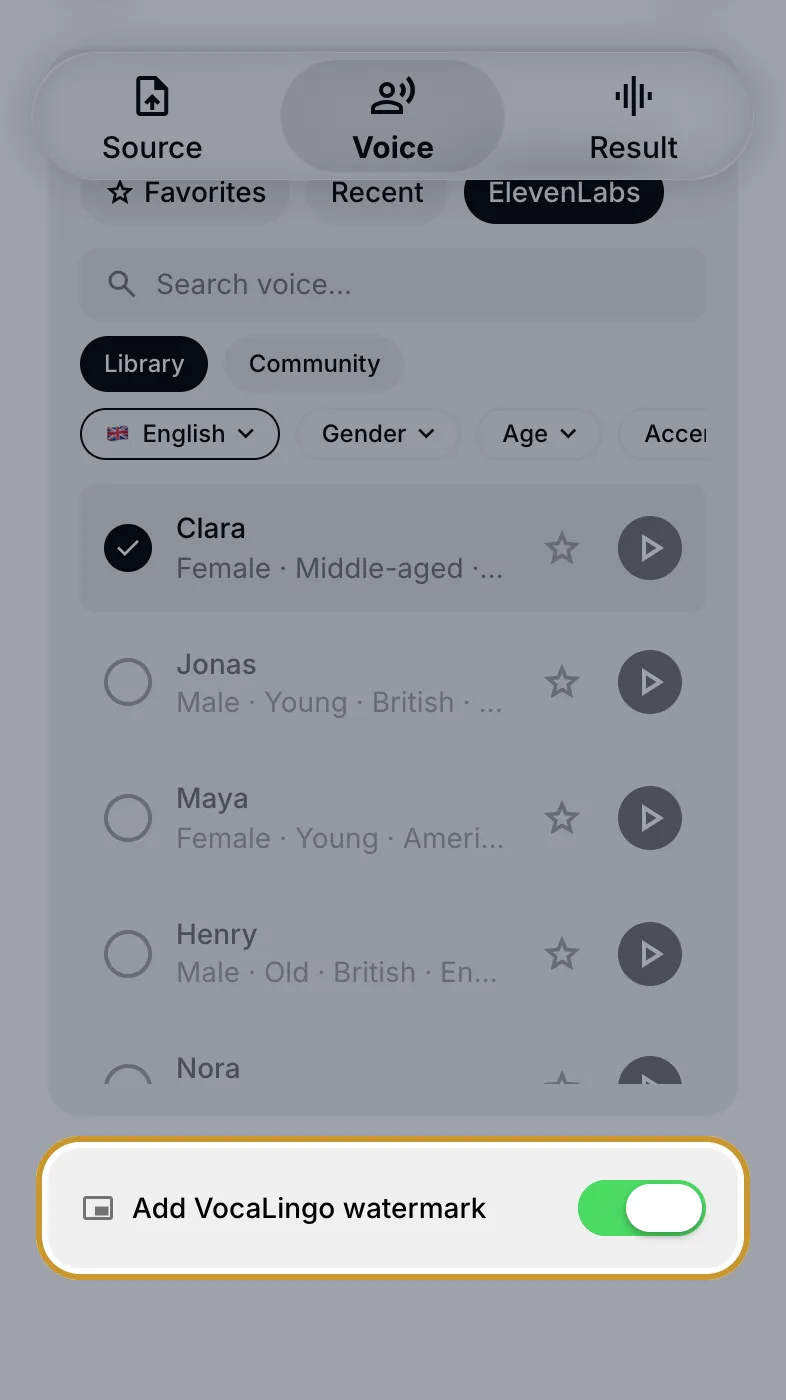
Without Premium, every video gets the watermark. The Add VocaLingo watermark toggle on the Voice tab stays on, and turning it off opens the Premium screen.
With Premium, the toggle is off by default and videos come out clean. Turn it on if you want the watermark.
What else Premium includes: what is VocaLingo Premium.
Errors and what to do
| Message | Why | What to do |
|---|---|---|
| "This video has no sound" | The video has no soundtrack, so there is no voice to replace | Choose a video with speech or record audio |
| "The recording is longer than 5 minutes. Trim it and try again." | The source is over the limit | Trim the recording or split it into parts |
| "Could not change the voice. Please try again." | Processing failed, tokens weren't charged | Tap Try again; if it fails again, choose another voice or file |
| "Choose or record a file" | You tapped Continue or Change voice before adding a source | Record audio or choose a file on the Source tab |
| "Please select a voice" | No voice is selected | Choose a voice on the Voice tab |
If Record audio doesn't react, VocaLingo has no access to the microphone: see microphone or camera access denied.
When to contact support
If the same file fails several times in a row or an item stays in Processing for more than half an hour, write to support. Mention the time of the attempt, whether the source was audio or video, and its length.
Contact support
Describe the problem and we will reply by email. Add the file name or job ID if you have one.