VocaLingo or SpeakApp: voice notes, transcripts and translation
SpeakApp turns voice notes into text and rewrites them with AI on a subscription. VocaLingo also translates recordings in the speaker's voice and works with video.
Updated November 22, 20263 min read
SpeakApp AI is a voice-to-text app: you dictate a note, an email or a meeting, and it gives you clean text that you can summarize, turn into bullets or rewrite with AI prompts. VocaLingo also turns speech into text, and then can translate it, voice it in the speaker's voice or put it into a video. The facts about SpeakApp below were checked against its App Store page and website on 22 November 2026.
What each app can do
| Task | VocaLingo | SpeakApp |
|---|---|---|
Record and transcribe | Yes, any length in the app; a file up to 100 MB | Yes; on the free plan recordings up to 2 minutes |
Import a voice message from WhatsApp or Telegram | Yes, through the share menu on iPhone and Android | Yes, from files, messages and other apps |
Transcribe a YouTube video | Yes, also TikTok and Instagram links | Yes, YouTube |
Summary and rewriting with AI | Yes: the Essence tab, then any request in the AI chat or in Text Analysis | Yes, the AI Hub with ready prompts and your own |
Translate the text | Yes, 111 languages | Yes, as text |
Hear the translation in the speaker's voice | Yes, Audio Translation | No |
Dub a video, burn in subtitles, change a voice | Yes: Video Translation, Add Captions, Voice Changer | No |
Phone calls with translation | Yes, AI Calls to regular numbers | No |
Choose the recognition and AI models | Yes: Scribe, OpenAI Transcribe or Whisper; GPT, Claude, Gemini, Grok, DeepSeek and MiniMax in the chat | No |
MCP server | Yes, 15 tools that start jobs, on any balance | Yes, read-only access to your notes, on paid plans |
Where it works | iPhone, iPad, Android, Mac with an Apple chip, web | iPhone, Apple Watch, Mac, Windows |
What VocaLingo does that SpeakApp doesn't
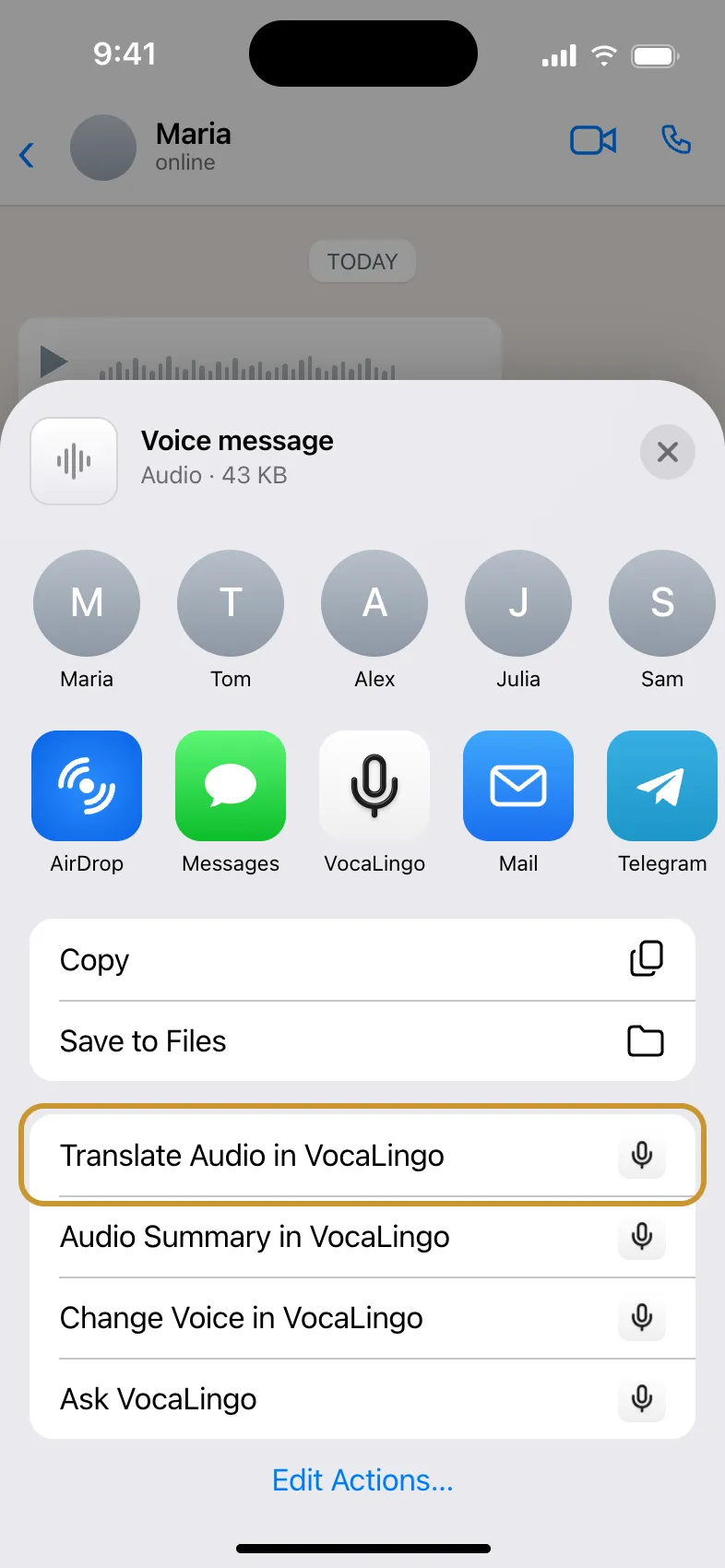
The voice stays. When VocaLingo translates a voice message, you can hear the translation in the voice of the person who recorded it, and answer in their language with your own voice. SpeakApp's translation is text only.
Video tools. Dub a video with lip sync, add styled subtitles, or replace the voice in a clip with Voice Changer.
Models you pick. If one recognition model struggles with an accent or noise, pick another one in the settings. In the chat, compare how GPT, Claude and Gemini handle the same text.
Live translation. Tourist Translator translates a conversation face to face, and AI Calls translate a phone call to any number.
When SpeakApp is the better choice
SpeakApp is handy if you mostly write by voice: emails, posts, ideas on the go, with a library of rewrite prompts and recording from an Apple Watch. If voice notes are all you need and you make them every day, its yearly plan can be the simpler option.
How the prices compare
| VocaLingo | SpeakApp | |
|---|---|---|
Free | 3 free tries of each tool on vocalingo.app/tools; 50 tokens with the promo code UMAKHAN | Recordings up to 2 minutes |
Smallest payment | $2.99 once for 100 tokens, which don't expire | A subscription, from $5 a month when paid for a year |
One hour of transcription | About 44 tokens, about $1.32 from the smallest pack | Included in the plan |
A one-minute voice message translated and voiced | About 11 tokens | Not available |
How to try VocaLingo without paying
The promo code UMAKHAN gives 50 tokens: Settings, then Free Tokens, then Have a promo code?. It works during the first 30 days of an account with email, Google or Apple.
Every tool on vocalingo.app/tools has 3 free tries before you buy anything, without an account.
Publish a post or video about VocaLingo and send the link in the Tell about VocaLingo task: 1,000 tokens and 30 days of Premium, once a month.
More: what is free in VocaLingo.
Source: SpeakApp in the App Store.
Try it in the app
Translate voice messages in the speaker's own voice. Turn video and audio into text and summaries. You can start for free.


Contact support
Describe the problem and we will reply by email. Add the file name or job ID if you have one.