VocaLingo or Summary AI: summaries of recordings and videos
Summary AI records and summarizes meetings on a weekly or yearly plan. VocaLingo summarizes recordings and video links, translates them and needs no subscription.
Updated November 22, 20263 min read
Summary AI by Labhouse is a recorder: tap to record a meeting, a class or a voice note, and it writes the transcript, a summary and action items. VocaLingo summarizes recordings too, and also videos by link, and can translate and voice what was said. The facts about Summary AI below were checked against its App Store page and website on 22 November 2026.
What each app can do
| Task | VocaLingo | Summary AI |
|---|---|---|
Record and transcribe with speaker labels | Yes: record in the app or open a file up to 100 MB | Yes, one tap to record |
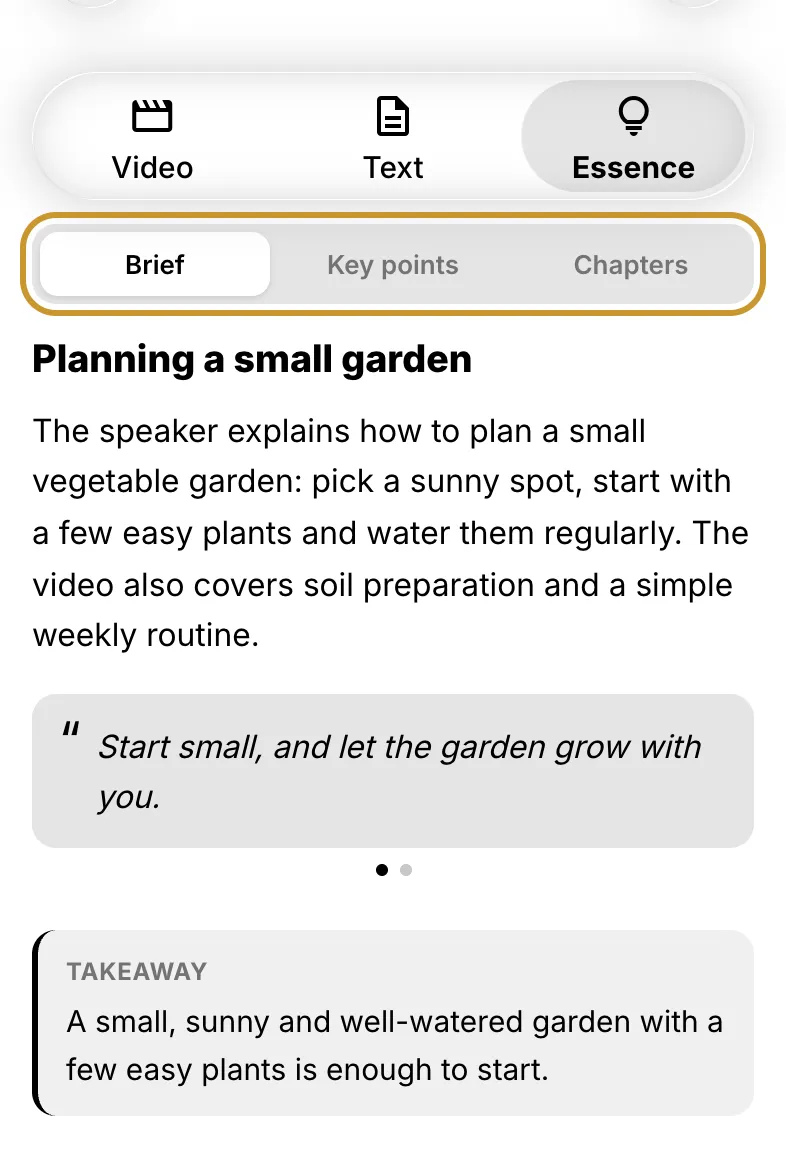
Summary of a recording | Yes, the Essence tab: Brief, Key points, Chapters with timecodes, export to PDF | Yes: summary, action items, highlights, PDF |
Ask questions about the recording | Yes, Discuss in chat, with a model you choose | Yes, Ask AI |
Summarize a YouTube, TikTok or Instagram video by its link | Yes, Video to Text | Not described on its App Store page |
Translate the recording into another language with a voiceover | Yes, Audio Translation, 111 languages, in the speaker's voice | No; summaries and transcripts can be translated as text |
Dub a video, burn in subtitles, change a voice | Yes: Video Translation, Add Captions, Voice Changer | No |
Choose the recognition and chat models | Yes: Scribe, OpenAI Transcribe or Whisper; 13 chat models | No |
MCP server for Claude or ChatGPT | Yes | No |
Where it works | iPhone, iPad, Android, Mac with an Apple chip, web | iPhone, iPad, Apple Watch, Mac through the iPad app |
What VocaLingo does that Summary AI doesn't
Every platform with one account. VocaLingo works on iPhone, iPad, Android, a Mac with an Apple chip and in a browser on any computer, with the same balance and history everywhere.
Video links straight to a summary. A podcast on YouTube or a long Instagram video becomes a transcript, Essence and a PDF without downloading the file.
Translation with voice. A lecture or a meeting in another language comes back translated and voiced, in the voice of the person who spoke.
A multi-model AI chat. Ask GPT, Claude, Gemini, Grok or DeepSeek about the recording, or switch models if one answer isn't good enough. The chat also searches the web, reads attached files, writes and runs code and makes quizzes and flashcards.
MCP. Claude or ChatGPT can send a recording to VocaLingo and get back the summary. See how to connect VocaLingo to AI agents.
When Summary AI is the better choice
Summary AI suits you if you mostly record meetings and lectures on an iPhone and want to start recording from an Apple Watch. If you record every day for hours, its yearly plan can come out cheaper than tokens.
How the prices compare
| VocaLingo | Summary AI | |
|---|---|---|
Free | 3 free tries of each tool on vocalingo.app/tools; 50 tokens with the promo code UMAKHAN | 1 summary |
Smallest payment | $2.99 once for 100 tokens, which don't expire | $8.99 a week; in the App Store also $17.99 a month |
A one-hour recording | About 44 tokens for the transcript, a fraction of a token for Essence, about $1.32 from the smallest pack | Included in the plan |
Yearly | Premium for a year is $119.99 and includes 12,000 tokens at once. It is optional | $79.99 or $99.99 a year |
How to try VocaLingo without paying
Enter UMAKHAN in Settings, then Free Tokens, then Have a promo code? to get 50 tokens: enough for an hour-long recording with a summary. For a new account with email, Google or Apple, during its first 30 days.
On vocalingo.app/tools, Video to Text summarizes the first 60 seconds of a video for free, 3 times, without sign-up.
Post about VocaLingo and send the link in Tell about VocaLingo to get 1,000 tokens and 30 days of Premium, once a month.
More: what is free in VocaLingo.
Source: Summary AI in the App Store.
Try it in the app
Translate voice messages in the speaker's own voice. Turn video and audio into text and summaries. You can start for free.


Contact support
Describe the problem and we will reply by email. Add the file name or job ID if you have one.